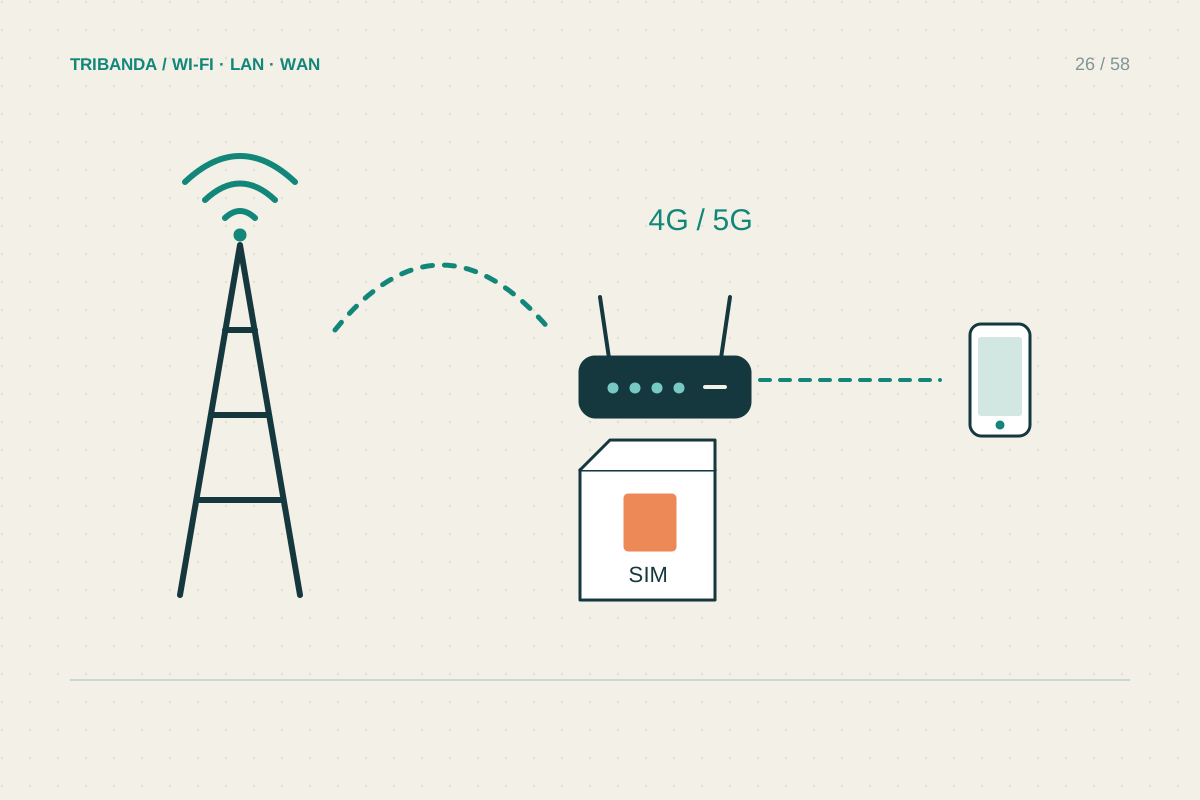
A SIM router has two different jobs: receiving the mobile network and distributing a local connection. An impressive Wi-Fi specification cannot compensate for poor reception from the mobile operator. Start with the intended address and the actual devices you need to connect, then choose hardware around those conditions.
Begin with a realistic mobile test
Try the intended operator at home before committing to a long contract. A phone test is a useful first indication, although a router can use different antennas and supported bands. Compare morning and evening results, upload performance and a normal video call. One fast download beside an open window does not describe a full working day.
Read the tariff conditions for router use, data allowances and any speed restrictions. Ask the operator how inbound connections are handled if you need remote access to a camera or home server. Do not assume that inserting a SIM provides a publicly reachable address or the same capabilities as the fixed connection it replaces.
Match the hardware to the operator
Check the precise regional model and its supported mobile bands against the operator information. A SIM slot alone says little about compatibility. Confirm the required SIM size, whether the device is operator-locked, and whether cellular antenna connectors are provided. Wi-Fi antennas and mobile-network antennas serve different links and are not interchangeable simply because they look similar.
Count Ethernet ports and check their speeds. A stationary work computer benefits from an ordinary cable even when the incoming connection is mobile. If the router will act as backup, read its WAN failover documentation: having both an Ethernet WAN port and a SIM does not automatically mean unattended switching works.
Commission the SIM before chasing Wi-Fi
Use the correct insertion procedure and the router manual, then connect to its local management interface. Check whether the SIM is detected, whether a PIN is required and whether it registers on the mobile network. These are different stages. A detected SIM with no working data session may need the operator APN profile.
If automatic configuration fails, obtain APN and authentication details directly from the operator. Enter the documented profile instead of trying random settings from forums. Keep screenshots of the original profile and change one field at a time. Never publish the SIM identifier, credentials or management password when requesting help.
Choose the receiving position deliberately
Compare suitable windows on different sides of the home, keeping the router ventilated and away from direct heat. Record both mobile reception indicators and usable performance. If the best receiving point gives poor indoor Wi-Fi, use Ethernet to an access point rather than moving the cellular router back into a weak-signal cupboard.
Choose the mobile service and receiving position first. Then check bands, APN support, Ethernet ports and backup behaviour against the exact regional model.
Common questions
Does 5G guarantee better video calls?
No. Reception, congestion, upload stability and the tariff all matter. Test the actual location and working hours.
Why does the router detect the SIM but stay offline?
Check PIN status, registration, plan activation and the operator APN. SIM detection alone does not establish a data session.
Original technical illustration; schematic, not to scale.